Create or import a site, then edit it with Tracy
Start fresh, start from a design, or import a WordPress or Joomla copy. Then ask in your own language, review Site changes and undo what you do not want.
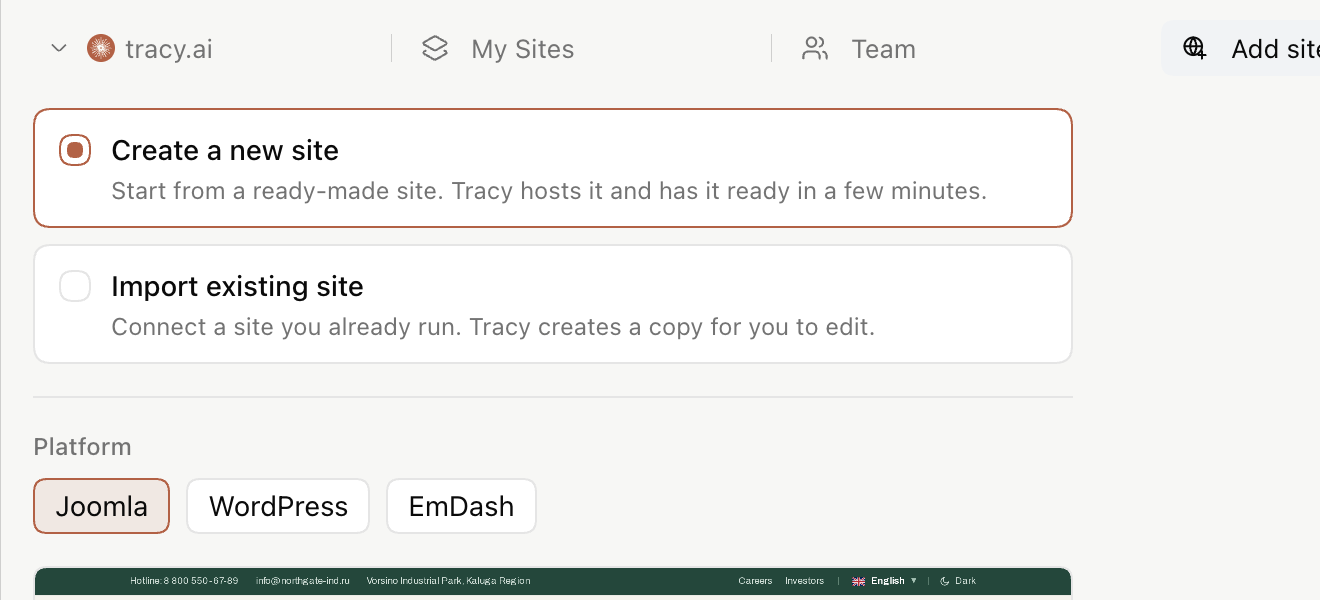
Start with a new WordPress, Joomla or EmDash site
Pick the platform, choose the address, then start the build. Tracy creates a real WordPress, Joomla or EmDash site instead of an empty project.
The starting site includes pages, menus and structure, so the next step is editing and operating it with Tracy.
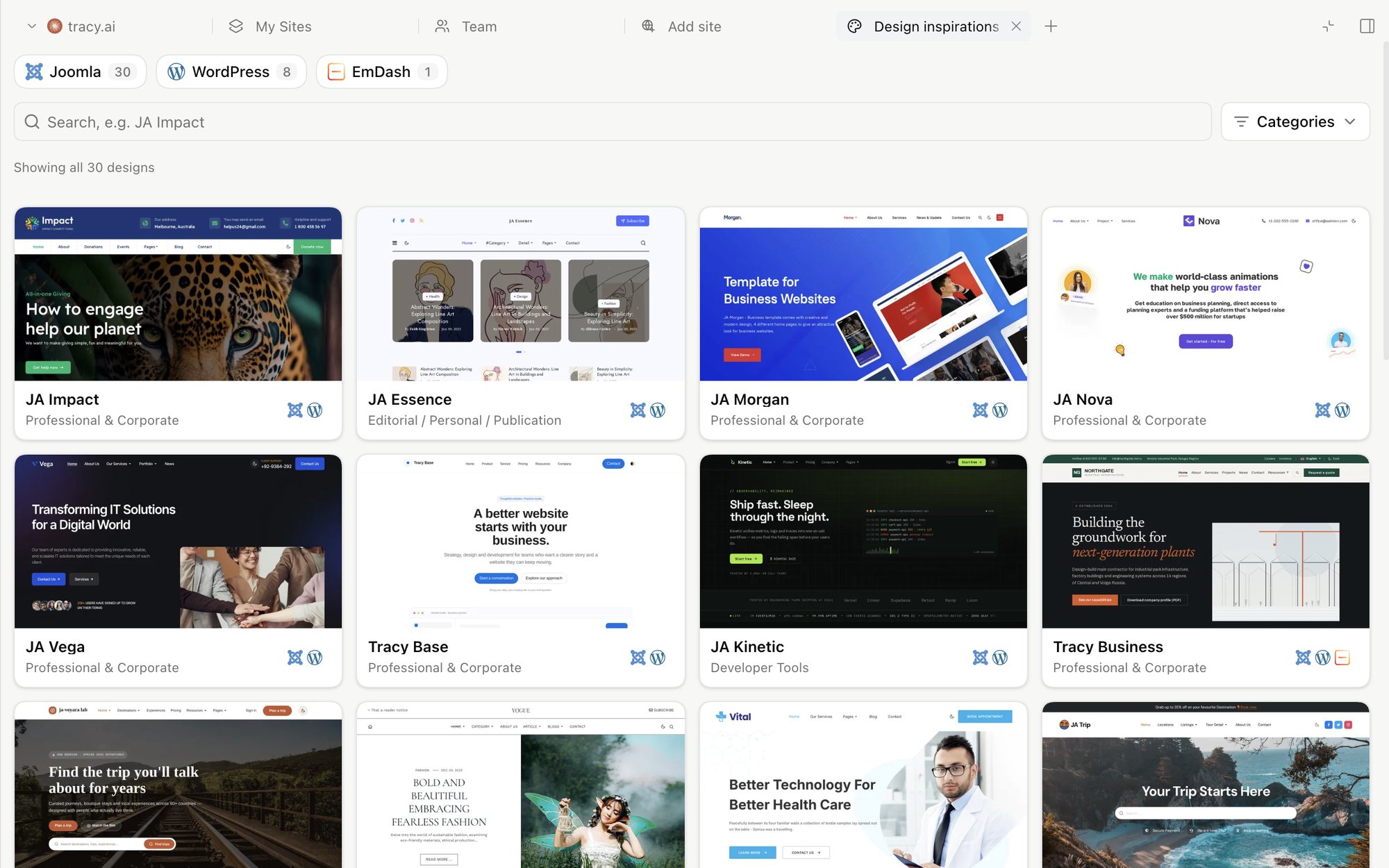
Or start from a design direction
Try designs with your own copy, then create the site. Tracy can ask a few optional questions first: your business name, one line about what you do, the pages you need, the site language and the tone.
The third path is import: copy a WordPress or Joomla site you already run, then let Tracy work away from the live customer site.
- On Joomla the design becomes the site's own build
- On WordPress Tracy builds the site, then dresses it in that style
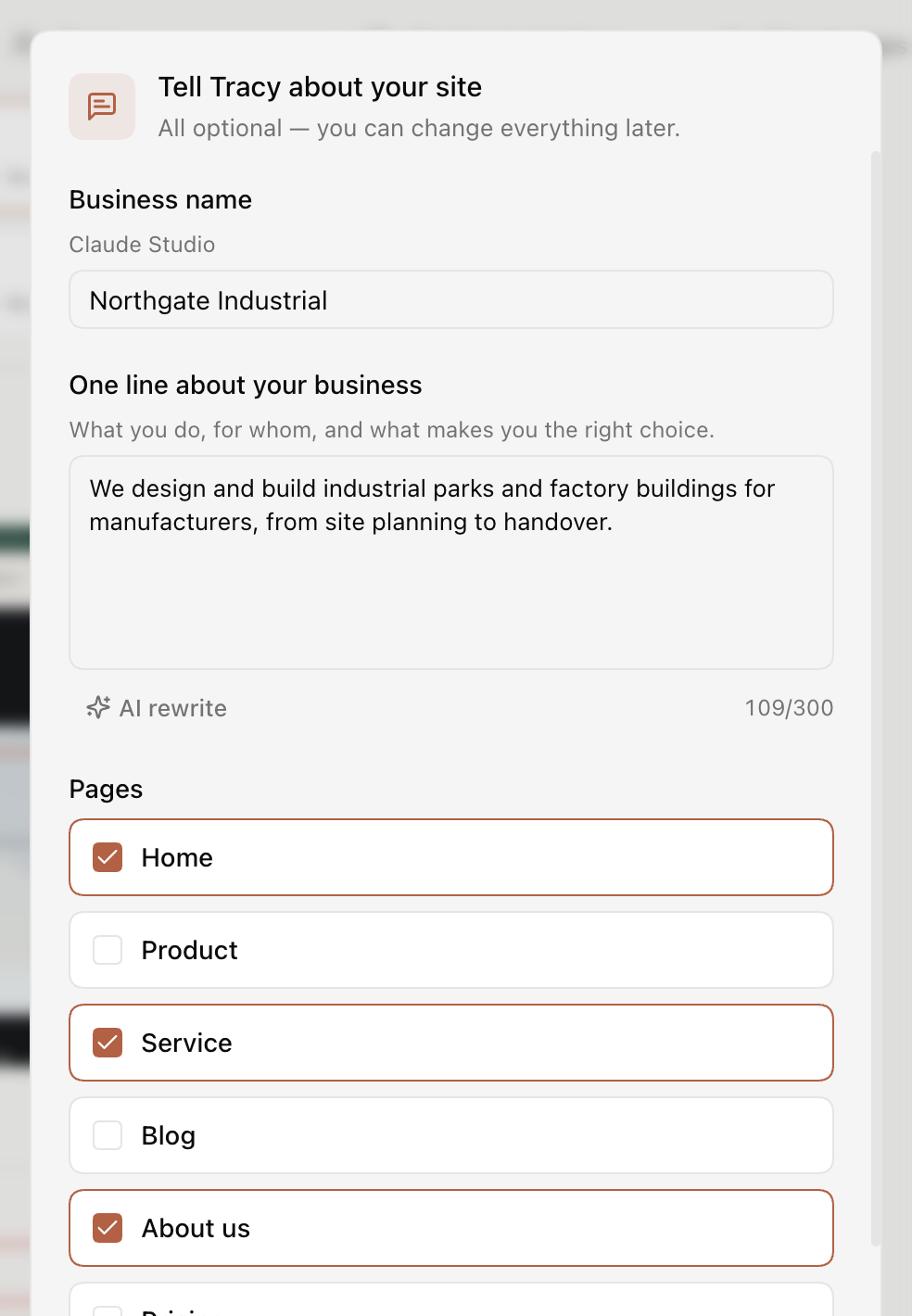
A few questions, not a long form
All of them are optional. Answer them and press Apply, and Tracy writes your words into the pages. Or choose I will do it later and start from the design as it is.
Templates use a standard set of questions for their platform, because a restaurant and a law firm need different answers.
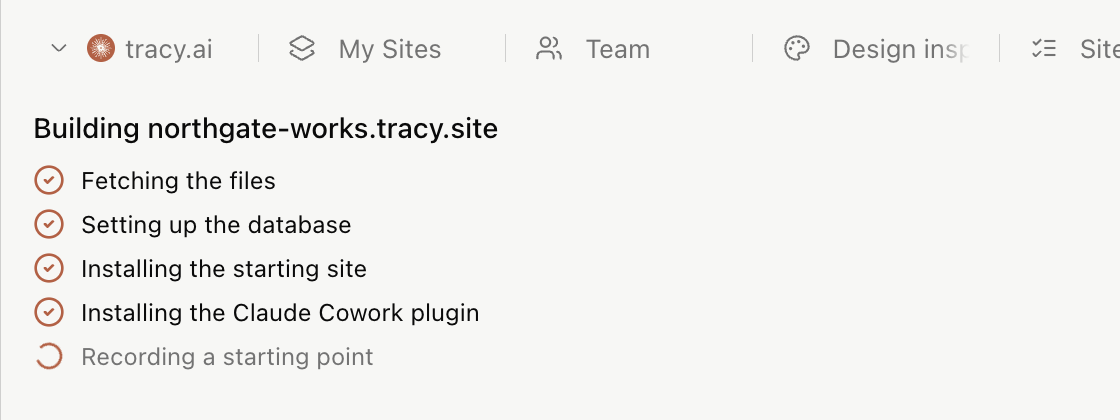
Watch each build stage
Tracy names each stage while it stands the site up: files, starting point, database and platform setup.
If a step fails, the panel says which one and why.
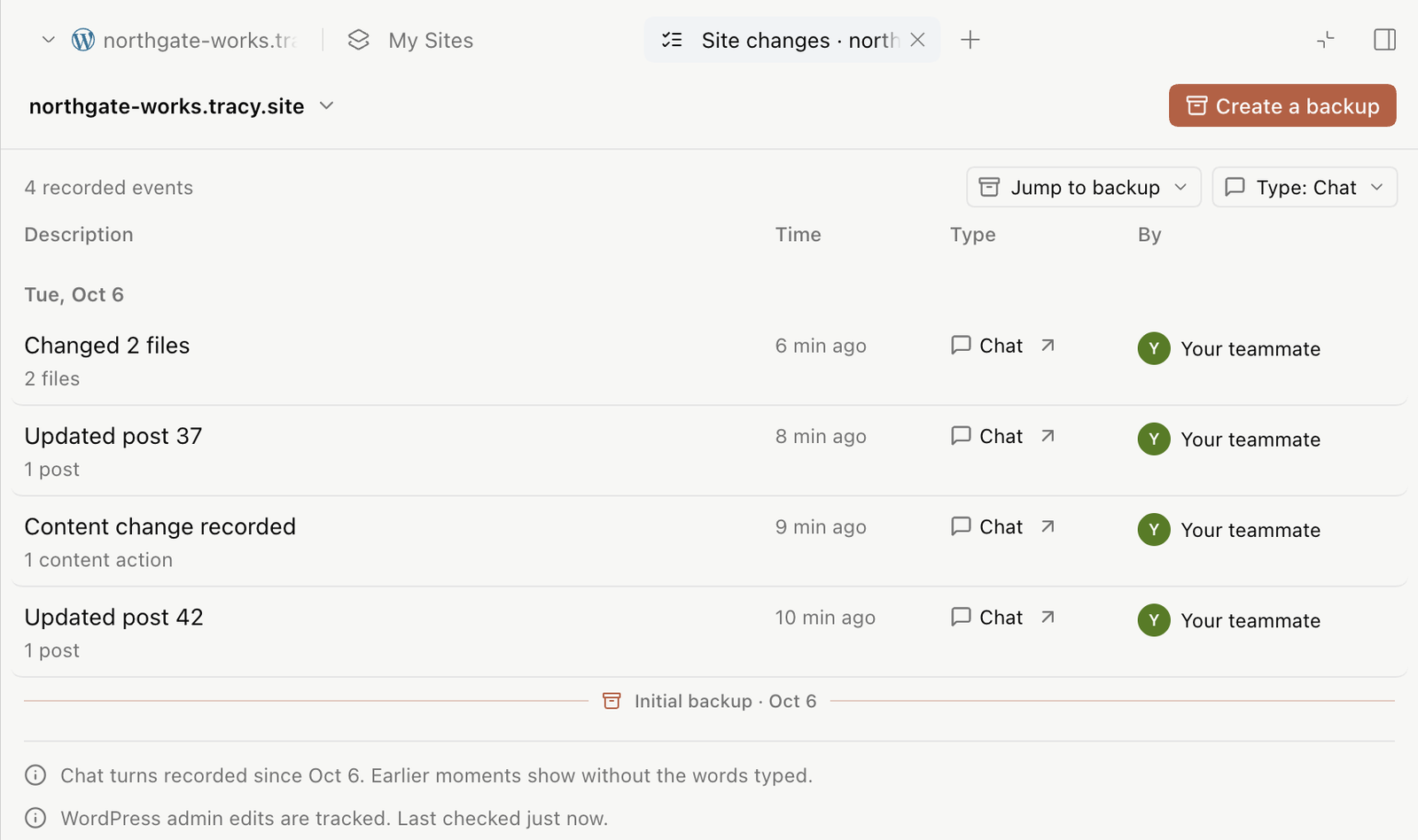
A real site with a visible record
An ordinary WordPress, Joomla or EmDash site with its own admin panel, hosted at your-name.tracy.ai, your content in its database.
Ask for a change and the agent leaves a receipt: what it touched, what changed, and how to go back when rollback is available.
It says no, too. Asked for a Contact page, it found one already there and wrote nothing.
Reads are read-only. Your site role decides what the agent may do.
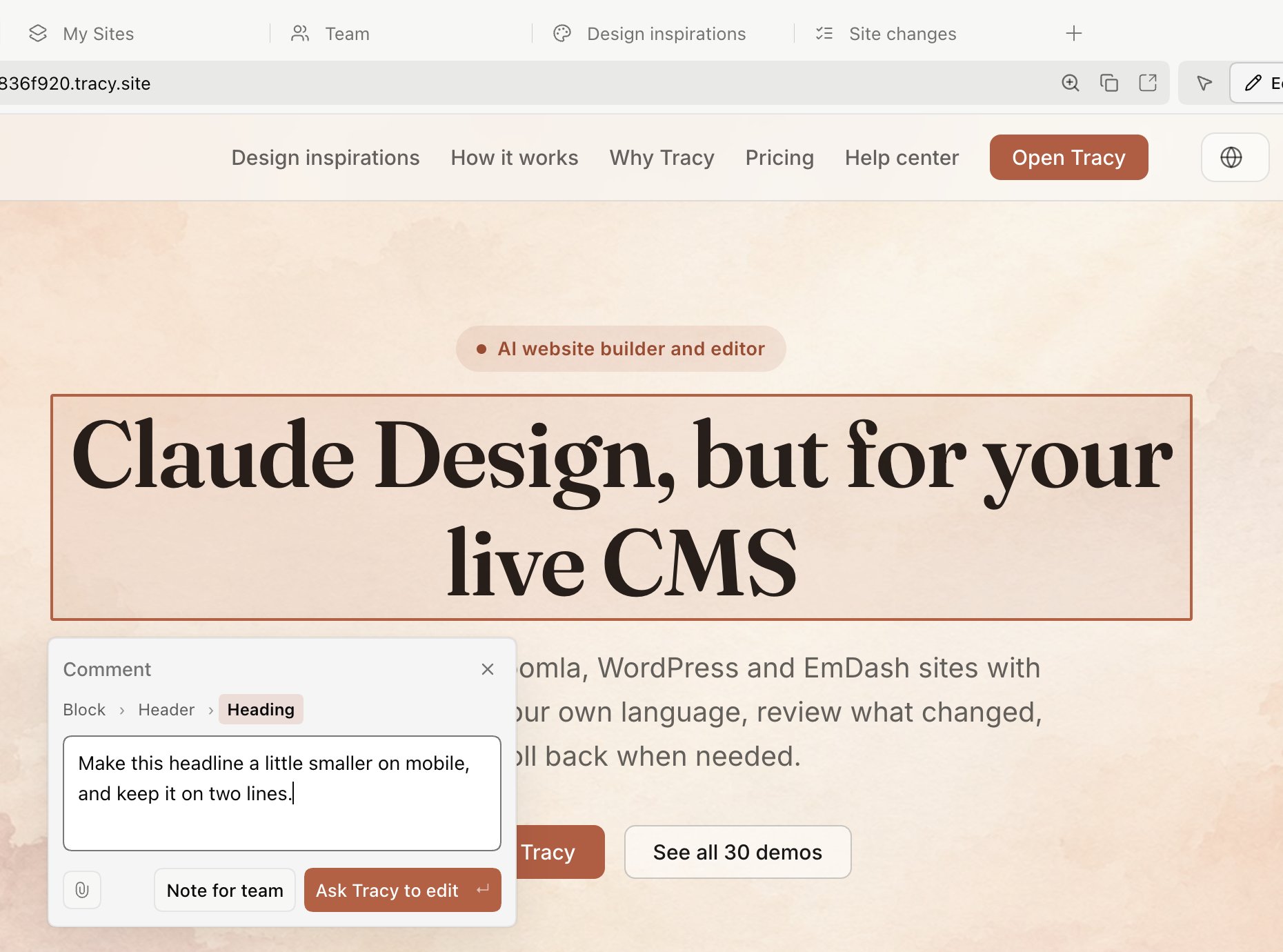
Point at the part you want changed
Turn on Edit, click the part of the page you mean, and say what should change there.
Tracy edits the record behind that element, on WordPress, Joomla or EmDash, and supported changes land in Site changes; coverage varies by platform.
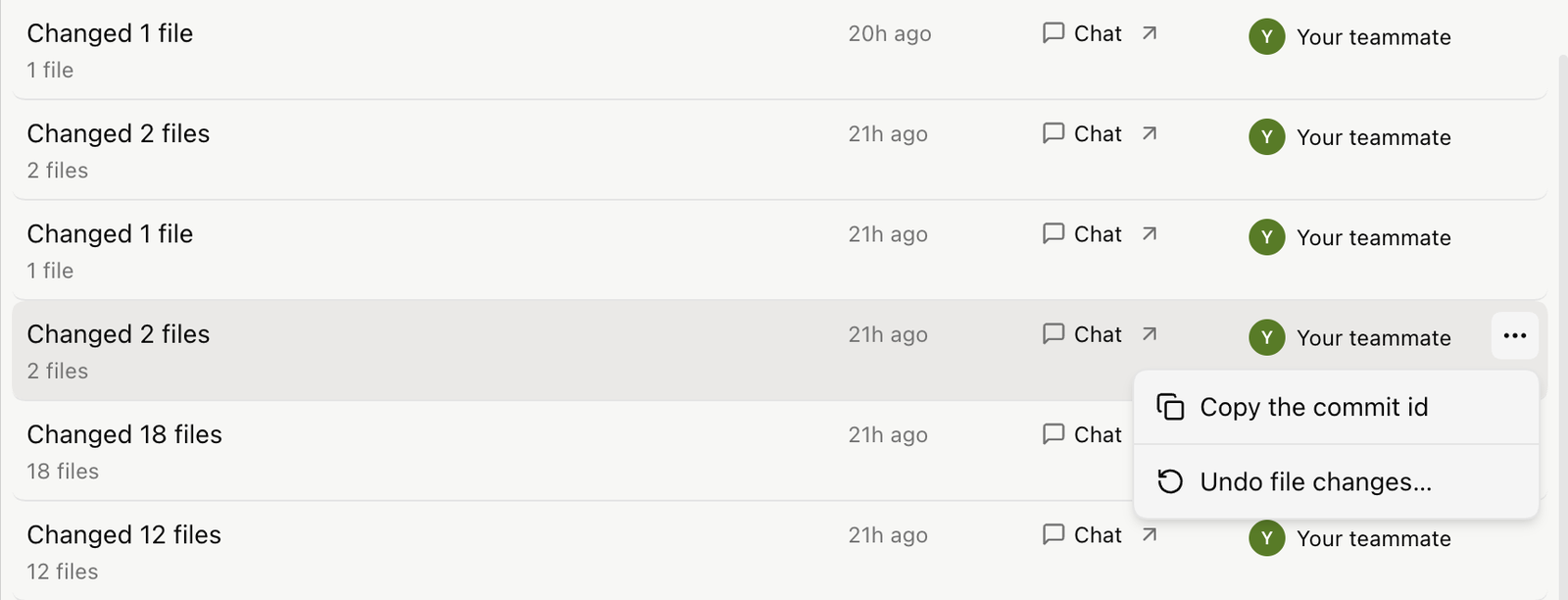
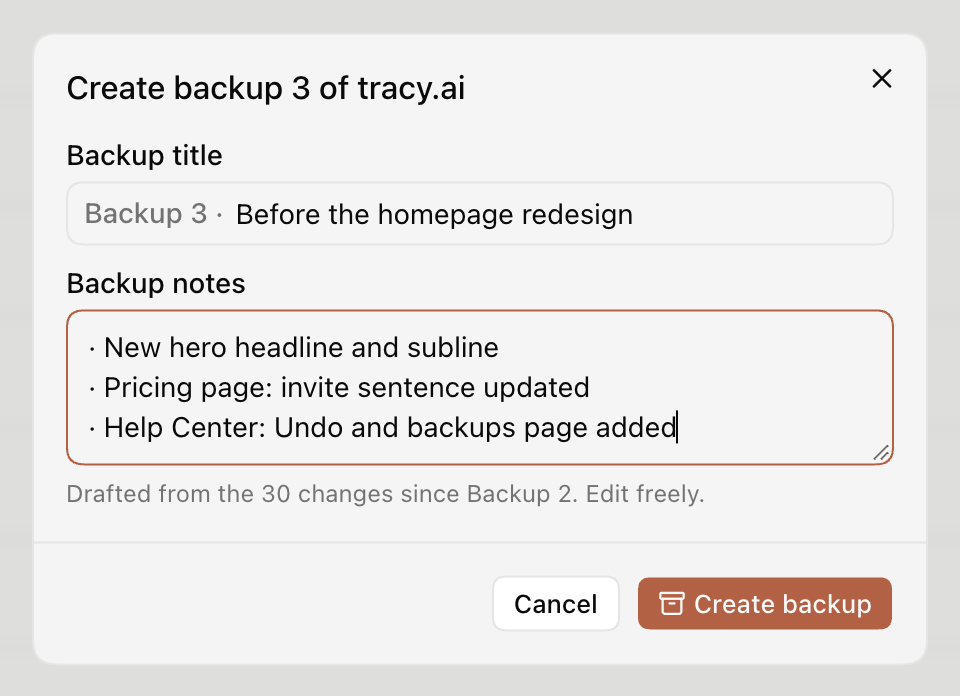
Undo one change, or restore a backup
Create a backup at a point you trust. On WordPress and Joomla, later put back its files, or everything including the database, or undo the file changes of a single request where supported. EmDash backups restore database and media, not template code; request Undo is unavailable.
A full restore deletes site data saved after the backup, so you may not be able to come forward again. Deleting a page does not guarantee that it can be recovered. Undo may be blocked by later changes, and external effects cannot be recalled.
Work as a team, with roles
Invite people by email and give each one a role. Editors change content, code and settings, publish and restore backups. Viewers can view, comment and ask questions. Owners also manage people, domains and site deletion.
A seat can be taken back at any time.
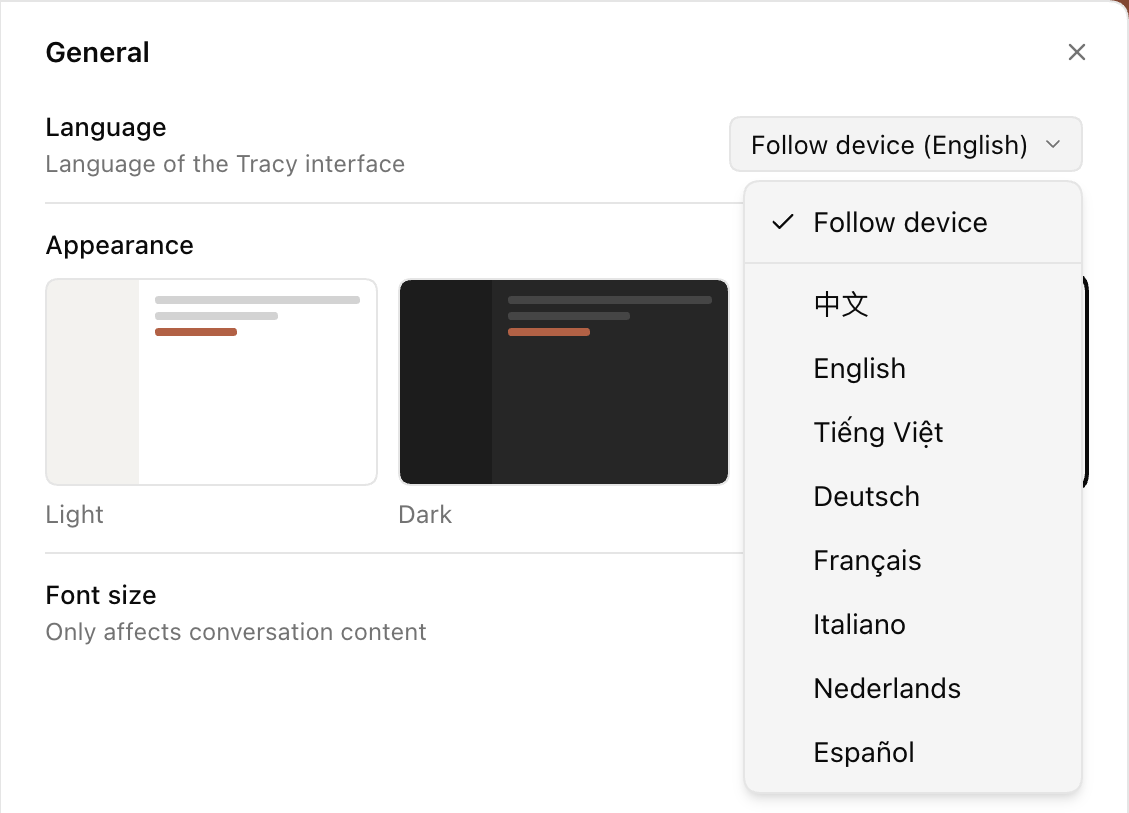
Build multilingual sites without silent drift
Ask in the language you use and Tracy answers in it. The Tracy interface itself comes in eight languages.
Ask for a change and only the language you asked for moves. When a template locks a field, Tracy says so instead of editing around it.
Tracy does not ask you to approve each change. It makes ordinary changes directly, shows recorded work, and lets you take it back where supported. It asks for targeted confirmation before consequential actions. Fewer interruptions, and a record you can act on.
For agencies: import keeps client sites away from live edits, Site changes gives you a record for the client, and backups make it easier to close a round of work.
How Tracy handles common workflows
Can I import an existing site?
Yes. Tracy can copy an existing WordPress or Joomla site so work happens away from the live customer site.
Does Tracy edit the real CMS?
Yes. Tracy works with real WordPress, Joomla and EmDash sites, not a disposable generated project.
Can I ask in my own language?
Yes. Ask in the language you use and Tracy answers in it. The Tracy interface itself comes in eight languages: English, Vietnamese, German, Italian, French, Dutch, Chinese and Spanish.
How do I review what changed?
Use Site changes and available Diff views to see recorded changes, then undo one change where supported, ask Tracy to revert it, or restore a backup. Undo and restore options depend on the change and platform; EmDash backups exclude template code.
Can my team comment on the page?
Yes. In Edit mode, click any block on the page to comment on it. Choose Note for team to leave a note for the people on the site, or Ask Tracy to edit to send it to Tracy. Comments have replies and can be resolved, and the Comments tab lists them by page.
Claude Design, but for your live CMS
Build or import a site, ask for one small change, and review the record it leaves behind.
Start with TracyLet’s build your first site
Get a ready-made site in minutes, or import one you already run.