Your download is starting
Tracy Cowork 0.6.0 for Windows. Three steps and you are in.
This download is for Windows. On this device, use the web app in your browser. cowork.tracy.ai
- 1
Open the installer
Find Tracy-Cowork-…-setup.exe in your Downloads and double-click it.
- 2
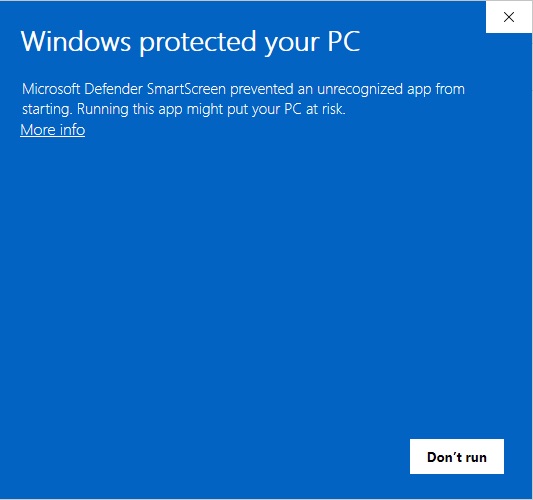
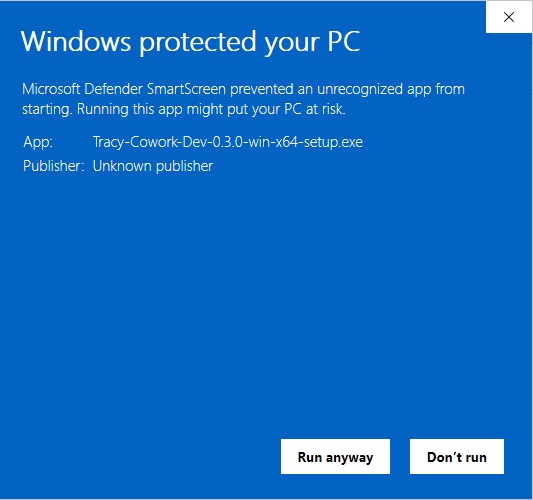
If Windows protects your PC
Windows may show “Windows protected your PC”. Click More info, then Run anyway.
- 3
Sign in
It installs in about a minute, with no administrator prompt, and opens at the sign-in page. Sign in with the account you already use.